Why Accurate Attendance Starts With the Right Employee Time Clock Machine
Every business runs on time. Shifts begin, breaks end, projects ship, and payroll closes on a schedule that rarely bends. Yet many small and mid-sized teams still track hours with handwritten sheets, shared spreadsheets, or plain memory. These methods feel harmless until a payroll error lands in someone’s paycheck or an audit asks for records that were never kept. Moving to a dedicated employee time clock machine is one of the simplest upgrades a company can make, and the benefits reach well beyond the front desk.
The Hidden Cost of Guesswork
Manual attendance tracking looks free, but it carries quiet expenses. A manager rounds a late arrival down to be kind. An employee forgets to write down a lunch break. Someone covers for a friend who is running late. Each small adjustment seems minor, yet across dozens of people and hundreds of shifts the totals drift away from reality.
Studies of payroll practices regularly show that even a few minutes of inaccuracy per person each day add up to a surprising amount over a year. Add the hours administrators spend deciphering messy entries, chasing missing signatures, and correcting mistakes, and the “free” system turns out to be one of the more expensive parts of the business.
How Modern Clocks Actually Work
Today’s devices are far removed from the punch-card machines of old. Most record an employee’s arrival and departure through one of several identification methods:
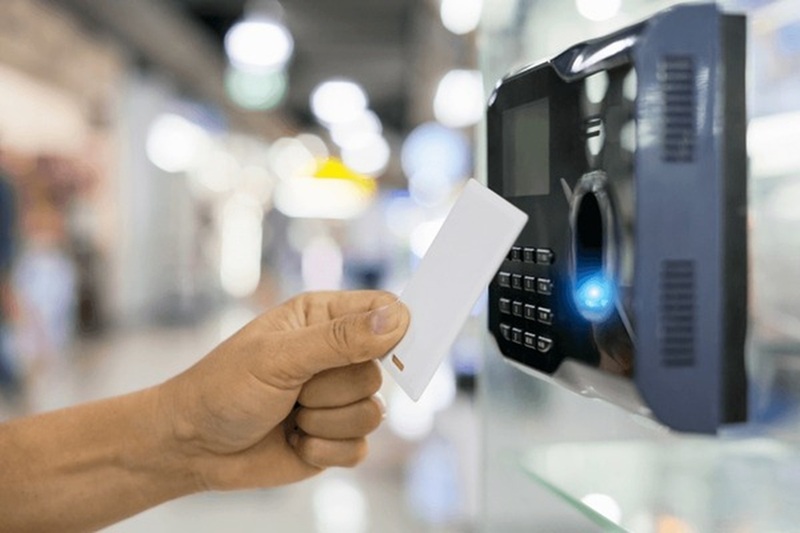
- PIN codes or ID cards that are quick and inexpensive
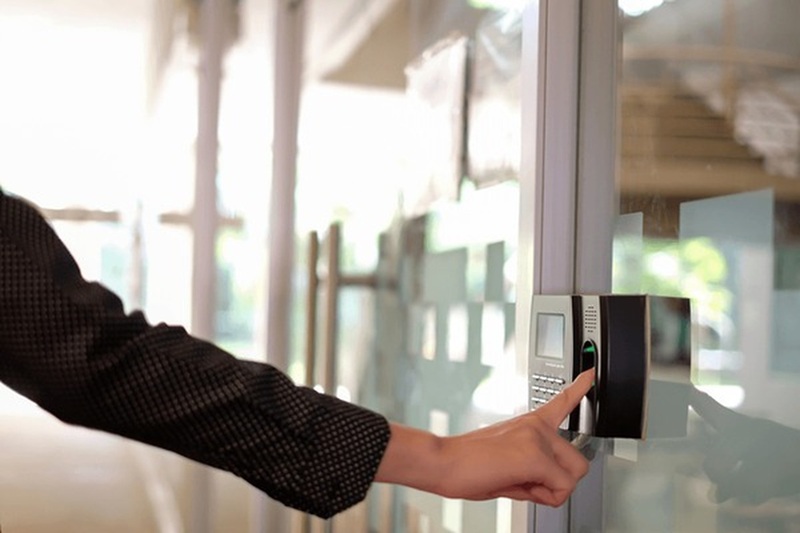
- Fingerprint scanners that tie each entry to a specific person
- Facial recognition that works without any physical contact
- Mobile or cloud-linked options that suit teams working across locations
Once an employee checks in, the device stores a timestamp and sends it to software that organizes the data into daily, weekly, and monthly summaries. Overtime, late arrivals, and missed punches can be flagged automatically. Instead of building a timesheet from scratch, a manager reviews a clean report and approves it in minutes.
Benefits That Reach Every Department
Fairness. When everyone uses the same system, rules apply equally. Employees trust that their hours are counted honestly, and managers no longer have to settle disputes based on competing recollections.
Accurate payroll. Hours flow directly into wage calculations, which reduces overpayment, underpayment, and the awkward conversations that follow both. Many systems export data in formats that payroll software can read without retyping.
Compliance support. Labor laws often require employers to keep reliable records of hours worked, breaks taken, and overtime earned. A digital log provides a consistent, time-stamped trail that is easy to retrieve when questions arise.
Less buddy punching. Biometric options in particular make it difficult for one person to clock in on behalf of another, which protects honest employees from carrying extra cost.
Better planning. Attendance data shows patterns. You might notice that Monday mornings are chronically understaffed or that a particular department regularly runs into overtime. Those insights help with scheduling, hiring, and budgeting long before problems become expensive.
Choosing the Right Device for Your Team
No single model suits every workplace, so start with a few practical questions.
How many people will use it? A small office with ten employees has different needs than a warehouse with several shifts and hundreds of staff. Check the device’s user capacity and how quickly it processes each check-in, since long queues at shift change quickly frustrate people.
What is the environment like? Dusty workshops, humid kitchens, and outdoor entrances can wear down a delicate sensor. Look for sturdy construction and, where relevant, a rating for dust and moisture resistance.
How will the data be managed? Some devices store records locally, while others sync to the cloud. Cloud options make remote review easy, but local storage can matter where internet access is unreliable. Many businesses prefer a model that does both.
Does it fit your existing tools? Compatibility with payroll or HR software saves hours of repetitive work. Ask about export formats and integrations before buying.
What about privacy? If you choose biometric identification, make sure you understand how templates are stored and protected, and inform employees clearly about what is collected and why. Transparency builds trust and keeps you aligned with local data protection rules.
What is the total cost? Look beyond the purchase price. Consider software subscriptions, installation, maintenance, and the cost of replacing parts over time.
Rolling It Out Without Resistance
Even the best technology fails if people dislike it. Before launch, explain why the change is happening and how it benefits them, including more accurate pay and fewer disputes. Run a short trial period where staff can practice without consequences, and keep a manager available to answer questions. Set clear policies on grace periods, missed punches, and corrections so nobody is surprised by how the rules are applied.
Encourage feedback in the first few weeks. Small adjustments, such as moving the device to a less crowded spot or tweaking sensitivity settings, can make daily use smoother for everyone.
A Small Tool With a Big Return
Tracking time may not be the most glamorous part of running a business, but it influences almost everything else: wages, morale, scheduling, and legal safety. A reliable employee time clock machine replaces guesswork with clear records, giving managers confidence in their numbers and employees confidence in their pay.
If your current method relies on trust, memory, and a stack of paper, consider whether it is still serving you. A modest investment in better attendance tracking often pays for itself quickly, and it lays the groundwork for a workplace where time is respected on both sides of the desk.